Porting 3D Movie Maker to Linux
Did you know you can now run Microsoft 3D Movie Maker natively on Linux? Over the last 18 months, I have been working on 3DMMEx, my source port of 3D Movie Maker. One of the goals of my fork is portability. The project recently reached a significant milestone: we can now compile and run on Linux, making 3DMMEx the first known fork of 3D Movie Maker to run outside of Windows! In this post I will explore some of the challenges encountered while porting a 30-year-old multimedia application to a new platform.
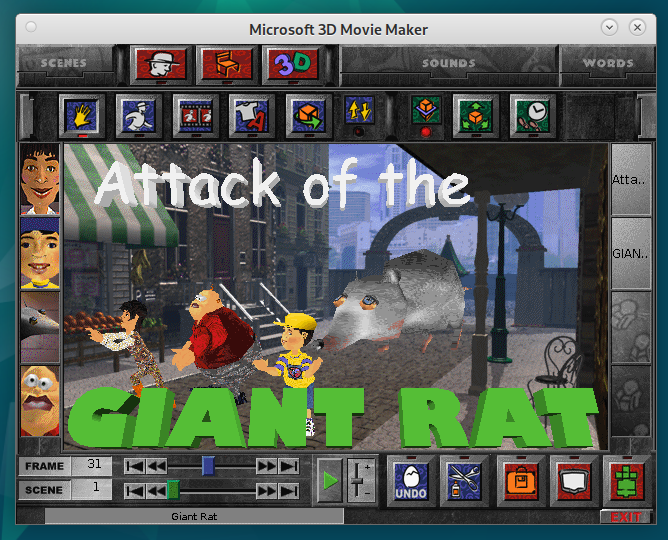
Now you can make fun animated movies on Linux!
Background
Back in 2020, I wrote a blog series about reverse engineering Microsoft 3D Movie Maker. Since then, there has been a major development: in May 2022, Microsoft published the full source code for the application. This was quite unexpected - I never thought I would ever get to see the original source code, and was skeptical that it even still existed in Microsoft’s archives, but now it’s up on GitHub… and with a permissive MIT license to boot!
Before we go too much further I have to say a huge thank you to Alice Averlong (née Foone Turing) for her relentless pursuit of the 3DMM source code, and to Scott Hanselman, Jeff Wilcox and the rest of the team at Microsoft who made this release happen. If you’re interested in the story of how the source code was released, check out the Hanselminutes podcast about the release.
The repository includes the source code for the 3DMM application (codenamed “Socrates”), the “Kauai” application framework used by 3DMM and Creative Writer 2, development/authoring tools (including the compiler for the scripting language that I previously reverse engineered), some documentation and pre-rendered assets. The release is complete enough that you can compile your own build of 3DMOVIE.EXE.
When the release came out, I spent some time digging through the repo and wrote some notes about the source code including how to build it with the original development tools. Something I immediately noticed was how well engineered the codebase was: the code style is consistent, code is well commented, and there are assert checks everywhere. Back in 1995, developers didn’t have the luxury of being able to push out updates to fix bugs, so they had to make sure the code was really good before release. The 3DMM codebase is a lot cleaner than some other mid-90s game source code releases I have seen.
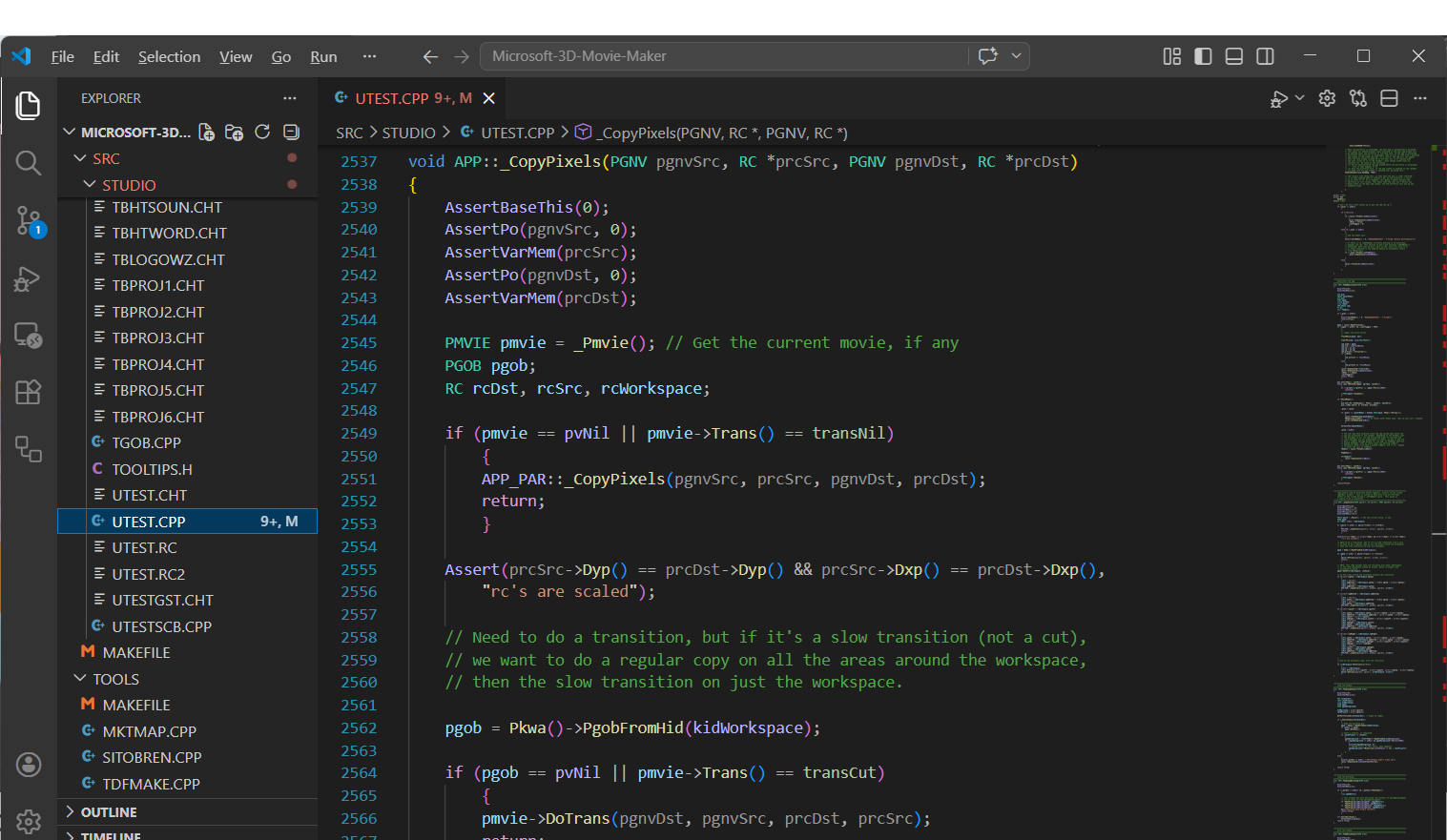
Visual Studio Code showing the 3D Movie Maker source code
One of the first things I thought of doing when the source code was released was trying to port it to a new platform. I didn’t want to make my own fork (that’s a lot of work!), so I joined the 3DMMForever project which started up shortly after the release to modernise 3DMM. We replaced the old makefiles with CMake and solved a bunch of issues to get 3DMM compiling with a modern compiler, Visual Studio 2022. These were good first steps towards a portable 3DMM.
Unfortunately, the project stalled not long after that… so in late 2024 I forked 3DMMForever to create 3DMMEx. My original plan was to fix a few small issues in 3DMMForever and do some initial exploration of what was needed to port 3DMM to other platforms. There were a few major issues that made porting difficult:
- The code used a pre-standardised C++ dialect that only compiled with Microsoft Visual C++.
- The Kauai application framework is “cross-platform”, in that it supports exactly two platforms: Windows and Macintosh 68K. Macintosh support is very incomplete though.
- The 3DMM application is built on top of Kauai’s cross-platform abstractions, but sometimes breaks through the abstractions and calls directly into Win32 APIs.
- The framework has some inline x86 assembly language in performance-sensitive functions.
- The project makes assumptions about pointer sizes that cause compile errors on 64-bit systems.
- The framework has a lot of functionality that isn’t used by 3DMM but is required for the authoring tools.
- Some external dependencies are linked into the build as pre-compiled static libraries.
- There are no tests for most of the code, which makes it difficult to catch regressions. The 3DMM developers used automated tests during development and even left some automated test hooks behind, but the tests were not part of the open-source release.
If you were to take the source code as-is and try to compile it on another platform, you would be forced to confront all of these issues at the same time. So, I decided to try and tackle some of the problems in isolation while maintaining the original Windows x86 build. My thought was if I solved some of these problems, maybe my work could be useful for someone else who wanted to port it to another platform.
Sure enough, shortly after I started my fork I received an email from an awesome software developer named Mark Cave-Ayland. Mark was interested in porting 3DMM to Linux so he could get it running on a Raspberry Pi for his children to use. I thought that was pretty cool! We worked together over the last year to get 3DMM working on Linux, with Mark focusing on Linux porting while I focused on SDL porting on Windows.
Static libraries
The 3DMM project has two external dependencies that are packaged as static libraries: BRender and AudioMan. BRender is a 3D rendering engine developed by Argonaut Technologies. The source code for BRender was published around the same time as 3DMM, after Alice Averlong obtained approval from Jez San, the former CEO of Argonaut Technologies. BRender can be built from source, but it contains a significant amount of hand-rolled x86 assembly language code. One of the 3DMMForever contributors @prettytofugirl did some great work on replacing all of the x86 assembly with portable C code, which I am now using in 3DMMEx.
AudioMan is a sound mixer library used in a number of mid-90s Microsoft multimedia products. AudioMan is used in 3DMM not just for playing sounds, but for converting imported and recorded sounds too. The static library wasn’t going to work when compiling for anything other than Windows x86 with Visual Studio. So, I decided to start my own mini decompilation project! Over the course of a couple of weekends, I used Ghidra to reverse engineer the AUDIOD.LIB static library and decompile it to C++. Full decompilation is usually pretty difficult, but in this case I had a debug build of the library with full symbol information. I also didn’t need the entire library for 3DMM to work properly, so only the critical components were decompiled. This was quite a fun tangent, and I should probably write a blog about it.
Decompiling AudioMan was an important part of building Windows x64 and ARM64 versions of 3DMMEx. However, it turned out to be tightly coupled to Windows sound APIs and COM interfaces so it would have been difficult to make it work on non-Windows platforms. Instead, I added a new wave sound playback module using miniaudio for non-Windows platforms. Integrating miniaudio also solved the problem of cross-platform audio input required by the in-app sound recording features.
Removing assembly language
Some functions in Kauai contain hand-optimised assembly language. This is used in functions that are performance-sensitive, such as copying memory, bitmap image manipulation and data compression. Compile-time #defines are used to switch between C++ and assembly language implementations. Some functions have optimised versions for both Intel x86 for Windows and Motorola 68020 for the Macintosh.
The original codebase also includes a code generator that produces x86 assembly language versions of the two custom compression algorithms used in Kauai. When I first started reverse engineering 3D Movie Maker, I remember finding the KCD2 decompression function in IDA and being a bit horrified by how complex it looked. I thought, “this could not have been written by a human”. It turns out I was right!
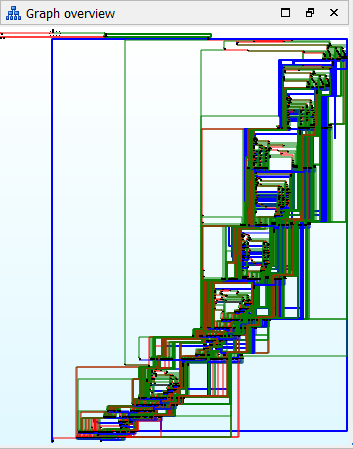
IDA control flow graph of the KCD2 decompression function
Switching to the C++ versions was pretty easy as I just had to remove a #define, but it did surface a few bugs in the corresponding C++ implementations. Removing the assembly versions also led to some minor performance improvements, as the app was now able to take advantage of the C runtime’s memcpy/memmove implementations that are optimised for modern processors.
Boring engineering stuff
Porting 3DMM to new platforms requires making lots of changes that are pretty likely to break existing code. Before making major changes, I decided to spend some time improving the debugging and testing experience. This would hopefully help to catch regressions as I made changes. These changes included:
- The Kauai framework had a small number of unit tests. I ported these tests to Google Test and integrated them into the build.
- Kauai uses custom data types that are hard to read in the Visual Studio debugger. I wrote some NatVis visualisers to give Visual Studio hints for how to render certain types. For example, the string class (STN) now shows the value of the string instead of a pointer to a buffer.
- I wanted to avoid making any changes that could break file format compatibility, to ensure that you can still load and save your movie files from 30 years ago. So, I added static asserts around file format structures to ensure that they would not change in size when compiling for other platforms. These asserts helped to identify issues when porting 3DMM to 64-bit systems.
- Debugging 3DMM’s UI is challenging because most of the logic occurs inside scripts. I added extra logging to show the current executing script to make it easier to follow UI logic as it executes.
- There were a lot of minor refactors to add seams between components so I could add new implementations for SDL/cross-platform builds without removing the original working Win32 implementations.
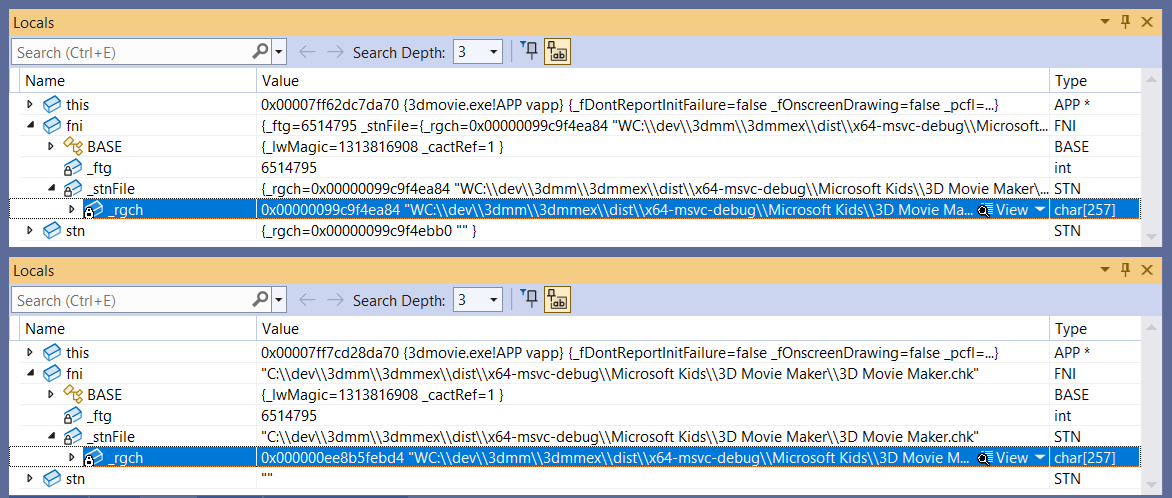
Visual Studio debugger displaying custom string objects with and without the NatVis visualisers
I also decided to keep the Apps Hungarian code style used by the original developers in the 1990s. It might be a bit odd to do that in 2026, but I wanted to keep new code consistent with the original code. It takes some time to get used to it, but after a while of working on the code base you won’t think twice about variable names like mpgrfchpsz! 😄
Replacing Win32 with SDL
Kauai’s GUI library is written to use the Win32 APIs on Windows, and the Macintosh Toolbox on System 7. I replaced the Win32 GUI implementation with SDL, a popular open-source library for cross-platform multimedia applications.
To make SDL testing easier, I started by writing a small “hello world” Kauai application that tested event dispatch and basic rendering. This avoided having to have the entire application working correctly in order to test the framework changes. I used the test app to get window creation and basic input handling working, then started working on rendering.
Most of the SDL backend was fairly straightforward: Kauai already had pretty good abstractions around GUI features. For example, all of the graphics are handled in the GNV (Graphics Environment) and GPT (Graphics Port) classes. These classes have methods like DrawRcs for drawing a rectangle, or DrawRgch for rendering text. All I had to do was replace the Win32 GDI rendering code with SDL equivalents.
This was a bit of a challenge at times because some operations that were a single line of code in Win32 would have to be replaced with hundreds of lines of new code for SDL. Font management is a good example. Many 90s multimedia applications use only a fixed set of fonts that are packaged alongside the application’s assets. 3DMM, however, wants to be able to discover and use any TrueType font available on your system. In the Win32 API, enumerating fonts is a simple call to EnumFonts which gives you a callback on each new font. From there you can call CreateFontIndirect to get a font handle for rendering text. SDL does not have any way of enumerating fonts, so this must be implemented per platform.
Another example is keyboard shortcut handling. Win32 has Accelerator Tables which provide a mapping between virtual keycodes and WM_COMMAND messages. Accelerator tables are typically stored in the resource section of your executable. When your application starts, you call LoadAccelerators to load the table, and then call TranslateAccelerator in your event loop to translate keypress commands to WM_COMMANDs. All of the actual work of managing the table is handled for you by Windows. To get keyboard shortcuts to work on SDL builds I had to reimplement the accelerator table system. An upside of this reimplementation is it makes it a lot easier to support custom keybindings. I’m planning to add support for that in a future release.
One thing that caught me out a bit late was that strings in SDL are expected to be UTF-8 encoded. 3DMM defaults to the system’s default code page for strings (CP1252 on an English language system). This made the rendered text look almost correct until I found a part of the UI that had an em-dash rendered as a box instead. So, I added extra methods to convert to/from UTF-8. 3DMM also supports Unicode using UCS-2 but it is very broken in the original source release, and wasn’t completed until the Japanese release in 1996. In the future I’d like to change all of the string handling to be UTF-8 internally but that requires some fundamental changes to how movies are serialised.
Drawing the rest of the owl penguin
With all the inline assembly language removed and the SDL backend working, 3DMMEx was approaching a point where it might be possible to run it natively on another platform. This is where Mark did a huge amount of work to solve many problems, ranging from dealing with case-sensitive filenames and errant backslashes to writing new modules for POSIX platform support and integrating FluidSynth for MIDI playback and GStreamer for playing cutscenes. A few months later, Mark had 3DMMEx booting up on Linux! Check out Mark’s blog series on porting 3DMM to Linux which has a great writeup of some of the other technical challenges we encountered.
A huge thanks to Mark for not just his great work on Linux porting, but also keeping me motivated to continue working on 3DMMEx. Porting software to another platform can be a bit of a slog, but working with an experienced and motivated developer like Mark made it a lot easier and more enjoyable!
If you’re interested in trying out 3DMMEx, check out the project on GitHub. Windows binaries for x86, x64 and ARM64 are available on the Releases page. To run on Linux you will need to build it from source, but I’m planning to create binary releases for some popular Linux distros.
While all of the features of 3DMMEx are working in the SDL/Linux port, there are still some improvements to be made. The biggest issue at the moment is mouse handling when dragging actors around the stage, with some input devices being completely unusable. It would also be great to see it ported to some more platforms like macOS and maybe even Emscripten for running in a browser. If you are interested in helping with any of these, check out the GitHub issues or discussions pages.
Finally, here’s a video of 3DMMEx compiling and running on Linux!